
Anthropic just solved the biggest problem with AI coding agents.
You can now control Claude Code from your phone.
Not through some janky third-party app. Not by opening ports on your machine. Not by trusting cloud-hosted services with your entire codebase.
You run a command in your terminal. Scan a QR code. And suddenly you're issuing commands to an AI agent running on your desktop computer while you're walking your dog or sitting in a coffee shop.
This is Claude Code Remote Control, and it changes the game for anyone who's been trying to build a personal AI co-working system.
If you tried OpenClaw and gave up during the setup nightmare, this is your second chance. Way easier. Way safer. Same result.
What Is Claude Code Remote Control?
Claude Code Remote Control is a feature that lets you continue a local coding session from any device.
You start a session in your terminal. Claude Code registers with Anthropic's API and starts polling for instructions.
You get a unique URL and a QR code.
Open that URL in any browser or scan it with the Claude mobile app (iOS or Android), and you're now controlling the AI agent that's still running on your machine.
Your files don't leave your computer. Your MCP servers stay local. Your entire development environment remains exactly where it is.
The cloud just handles routing messages between your phone and your local session.
How It Actually Works Under the Hood
This is where Remote Control gets clever.
When you run claude remote-control (or /rc from an existing session), your machine makes an outbound HTTPS connection only. No inbound ports open. No firewall configuration needed.
Your local Claude Code session registers with Anthropic's API and polls for work.
When you connect from your phone or browser, the server routes messages between the client and your local session over a streaming connection.
All traffic travels through the Anthropic API over TLS using multiple short-lived credentials. Each credential is scoped to a single purpose and expires independently.
When the session ends, the remote link becomes invalid. If your laptop goes to sleep or your network drops, the session reconnects automatically when your machine comes back online.
If the network stays down for more than 10 minutes, the session times out.
The Security Model: Why This Matters
Let's talk about what makes Remote Control different from tools like OpenClaw or running development environments in the cloud.
Local Execution: Everything runs on your machine. Your code, your environment, your MCP servers. The cloud only routes messages.
Outbound-Only Connections: No port forwarding. No ngrok tunnels. No exposing your machine to the internet. Your local session initiates all connections.
Short-Lived Credentials: The authentication tokens expire constantly and are scoped to specific actions. Compromise one, and you don't compromise the session.
Anthropic's Security Infrastructure: Claude Code is backed by dedicated security teams, regular audits, and enterprise-grade infrastructure.
Compare this to OpenClaw, where security researchers found:
CVE-2026-25253: A critical RCE vulnerability (CVSS 8.8/10)
135,000+ exposed instances on the public internet
50,000+ directly vulnerable to remote code execution
341 out of 2,857 community skills were malicious
Anthropic shipped Remote Control with security as a core design principle, not an afterthought.
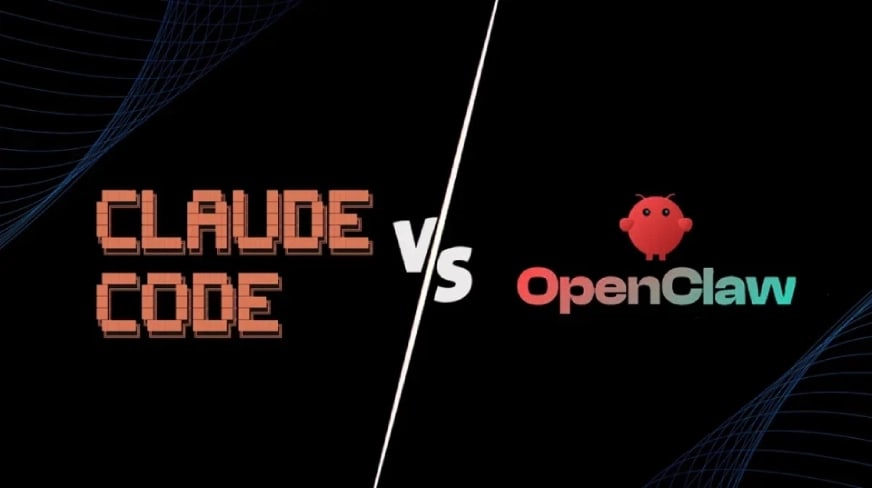
Claude Code Remote Control vs OpenClaw: The Real Comparison
I've used OpenClaw for weeks. I genuinely loved what it could do: 24/7 availability, messaging-first interface, persistent memory, integration with WhatsApp and Slack.
But the setup was brutal.
You needed to understand Docker (or WSL on Windows). Configure environment variables correctly. Set up secure storage for API keys. Vet community skills for malware. Manage firewall rules. Keep everything updated.
For developers, this is fine. For everyone else, it's a dealbreaker.
Claude Code Remote Control gives you most of what made OpenClaw compelling, without any of the setup complexity.
What You Get With Remote Control
Mobile Access: Issue commands from your phone, tablet, or any browser. No desktop required.
Long-Running Tasks: Start a refactoring job, walk away, monitor from your phone, come back when it's done.
Full Local Context: Your entire development environment stays available: file system, MCP servers, tools, project configuration.
Zero Setup Complexity: Run one command. Scan one QR code. Done.
What You Lose vs OpenClaw
24/7 Availability: Claude Code only runs when your computer is on and the session is active. OpenClaw can run on a server 24/7.
Messaging-First Interface: Remote Control uses the Claude.ai web interface or mobile app. OpenClaw integrates directly into WhatsApp, Telegram, Discord, and other messaging platforms.
Proactive Actions: OpenClaw can send you morning briefings, schedule tasks, trigger actions on a timer. Claude Code waits for you to initiate.
Model Flexibility: OpenClaw works with any LLM provider (Claude, GPT, Gemini, local models). Claude Code only uses Anthropic's models.
The Verdict: Which Should You Use?
For coding tasks: Claude Code wins. Period.
The reasoning capability of Opus 4.6, deep codebase understanding, IDE integration, and strict self-correction loops make it superior for active development.
For 24/7 life automation: OpenClaw wins if you're willing to manage the security and complexity.
Reading emails at 6am, drafting replies before you wake up, monitoring Slack channels, triggering scheduled tasks — OpenClaw handles this better.
For most people: Claude Code Remote Control is the better starting point.
You get 80% of the capability with 5% of the setup effort. And you get it from a security-first platform backed by Anthropic's infrastructure.
Setting Up a Personal Co-Working Agent: The 10-Minute System
Here's the system I've been running for the past two weeks.
It's built entirely on Claude Code with Remote Control, and it gives you:
A personal co-working agent that knows who you are, your business, and your audience
Three context profiles that load automatically into every session
A memory system with daily logs and long-term context
Phone access via Remote Control so you can work from anywhere
And the entire setup takes less than 10 minutes.
The Folder Structure
First, create a dedicated workspace for your AI agent:
~/ai-workspace/
├── context/
│   ├── USER.md
│   ├── BUSINESS.md
│   └── ICP.md
├── memory/
│   ├── daily-logs/
│   │   ├── 2026-03-01.md
│   │   ├── 2026-03-02.md
│   │   └── ...
│   └── long-term-memory.md
├── projects/
│   └── (your active projects)
└── .clauderc
This structure gives Claude persistent knowledge about you, your work, and what you're building.
The Three Context Profiles
These are the files that make the system work.
USER.md — Who You Are
This file contains information about you as a person:
Your name, role, and background
Your working style and preferences
Your strengths and areas where you need support
Your typical daily schedule
Communication preferences
Example:
# User Profile

## Identity
- Name: [Your Name]
- Role: [Your Role]
- Location: [Your Location]
- Timezone: [Your Timezone]

## Working Style
- I prefer asynchronous communication
- I work best in 90-minute focused blocks
- I struggle with context-switching
- I need help staying on top of administrative tasks

## Preferences
- Keep responses concise unless I ask for depth
- Flag when I'm going down rabbit holes
- Remind me to take breaks during long sessions
- Use direct language, not corporate speak
BUSINESS.md — What You Build
This file contains information about your business or projects:
What you're building and why
Your business model
Your current goals and priorities
Your tech stack and tools
Links to key resources
Example:
# Business Context

## What We Build
We create [product/service] that helps [target audience] solve [specific problem].

## Current Focus (Q1 2026)
1. Launch beta version of [product]
2. Build audience to 1,000 email subscribers
3. Validate pricing with first 50 customers

## Tech Stack
- Frontend: React, Next.js, Tailwind
- Backend: Node.js, PostgreSQL
- Hosting: Vercel, Supabase
- Tools: Claude Code, Figma, Linear

## Key Resources
- Product Roadmap: [link]
- Design System: [link]
- Documentation: [link]
ICP.md — Who You Serve
This file defines your Ideal Customer Profile:
Who your target audience is
Their pain points and goals
How they currently solve problems
Why they would choose your solution
Their language and terminology
Example:
# Ideal Customer Profile

## Who They Are
- Solo founders and small teams (1-5 people)
- Building B2B SaaS products
- Technical but time-constrained
- Annual revenue: $0-$500K

## Their Pain Points
- Spending too much time on repetitive dev tasks
- Can't afford to hire a full engineering team
- Need to ship fast without breaking things
- Struggling to maintain code quality at velocity

## How They Work
- Use GitHub for version control
- Deploy on Vercel or AWS
- Communicate async via Slack or Linear
- Prefer tools that "just work" over customization

## Why They Choose Us
- Saves 10+ hours per week on routine coding
- Works with their existing stack
- Doesn't require changing workflow
- Transparent pricing, no hidden costs
The Memory System
The memory system has two components: daily logs and long-term memory.
Daily Logs (memory/daily-logs/YYYY-MM-DD.md)
At the end of each work session, Claude writes a daily log that captures:
What you worked on
Decisions you made
Problems you encountered
Next steps and open questions
Ideas to explore later
This creates a searchable timeline of your work that Claude can reference in future sessions.
Example daily log:
# 2026-03-09

## What We Worked On
- Refactored authentication flow in user dashboard
- Fixed bug in email notification system
- Started designing onboarding sequence

## Decisions Made
- Using JWT tokens instead of sessions for auth
- Switching from SendGrid to Resend for emails
- Onboarding will be 3 steps max, no tutorials

## Problems Encountered
- Database connection pooling issue on Supabase
- Need to handle edge case when user email changes
- Onboarding mockups don't work on mobile

## Next Steps
- [ ] Fix database connection timeout
- [ ] Implement email change verification flow
- [ ] Redesign onboarding for mobile-first

## Ideas to Explore
- Could we use AI to personalize onboarding?
- Should we add a "skip onboarding" option?
Long-Term Memory (memory/long-term-memory.md)
This file contains knowledge that persists across months:
Architectural decisions and why they were made
Lessons learned from past mistakes
Patterns and anti-patterns specific to your work
Recurring problems and their solutions
Personal reminders and preferences
Example:
# Long-Term Memory

## Architectural Decisions
- We use server-side rendering for SEO, not client-side
- Authentication tokens expire after 7 days
- All user data is encrypted at rest
- We don't use third-party analytics (privacy-first)

## Lessons Learned
- Never deploy on Fridays (learned this the hard way)
- Always test email flows in production-like environment
- Database migrations should be reversible
- User feedback is more valuable than internal assumptions

## Recurring Patterns
- When users report "it's slow," it's usually the database
- Email deliverability issues are almost always DNS-related
- Most bugs happen at integration boundaries

## Personal Reminders
- I forget to update documentation after code changes
- I tend to over-engineer solutions early
- I need explicit reminders to write tests
The Setup Prompt: Build Your System in One Shot
Here's the prompt that builds your entire system in under 10 minutes.
Just paste this into Claude Code, answer the questions, and let it do the work:
I want to set up a personal co-working agent system using Claude Code.

Please help me create the following structure:

1. A workspace folder at ~/ai-workspace/ with these subdirectories:
   - context/ (for USER.md, BUSINESS.md, ICP.md)
   - memory/ (for daily-logs/ and long-term-memory.md)
   - projects/ (for active work)

2. Three context profile templates:
   - USER.md — Personal information, working style, preferences
   - BUSINESS.md — What I'm building, current goals, tech stack
   - ICP.md — Target audience, pain points, language

3. A memory system with:
   - daily-logs/ directory for session summaries
   - long-term-memory.md for persistent knowledge

4. A .clauderc configuration that loads these files at the start of each session

Ask me questions to fill in the context profiles, then generate the complete system.

Make this conversational — don't dump a wall of text. Walk me through it step by step.
Claude will then interview you, asking questions like:
What's your name and role?
What are you building and why?
Who is your target audience?
What's your working style?
What tech stack do you use?
As you answer, Claude builds the files, creates the directory structure, and sets up the configuration.
By the end, you have a fully functional personal co-working agent that knows who you are, what you're building, and who you're building it for.
Loading Context Automatically
The final piece is making sure Claude loads these files at the start of every session.
Create a .clauderc file in your workspace:
{
  "context_files": [
    "context/USER.md",
    "context/BUSINESS.md",
    "context/ICP.md",
    "memory/long-term-memory.md"
  ],
  "memory_path": "memory/daily-logs",
  "auto_log": true
}
Now, every time you start Claude Code in this directory, it automatically reads your context profiles and loads your long-term memory.
It knows who you are. It knows what you're building. It knows who you're building it for.
Using Remote Control: The Mobile Workflow
Once your system is set up, here's how Remote Control fits in.
Starting a Session
In your terminal, navigate to your workspace and run:
cd ~/ai-workspace
claude remote-control
Claude Code starts a local session and displays:
A unique session URL
A QR code for mobile access
Instructions for connecting from other devices
Connecting From Your Phone
Open the Claude mobile app (iOS or Android). The app will show your active Remote Control session automatically.
Or scan the QR code to launch it directly.
Now you're looking at the same session that's running on your desktop, but from your phone.
The Workflows This Enables
Long-Running Refactoring
Start a complex refactoring task in your terminal:
"Refactor the authentication system to use JWT tokens instead of sessions. Update all related files, write tests, and create a migration guide."
Claude Code starts working. You see the progress in your terminal.
But you don't need to sit there watching. Walk away. Check progress from your phone. Come back when it's done.
Research While Mobile
You're at a coffee shop. You remember a question you wanted Claude to research.
Pull out your phone. Open the Remote Control session.
"Research best practices for implementing rate limiting in Next.js API routes. Summarize the top 3 approaches with code examples."
Claude does the research on your desktop (where it has access to your codebase and MCP servers). You read the results on your phone.
Context-Aware Responses Anywhere
You're in a meeting. Someone asks about your onboarding flow.
You text Claude via Remote Control:
"Summarize our current onboarding sequence and list the main friction points we've identified."
Claude reads your BUSINESS.md, checks your project files, reviews your daily logs, and gives you a concise answer based on actual work, not generic advice.
Daily Planning From Bed
Morning routine: Open Remote Control on your phone before you get out of bed.
"Review yesterday's daily log. What are the 3 most important tasks for today based on our current goals?"
Claude reads your memory, checks your business priorities, and gives you a focused plan for the day.
The Part Nobody Talks About: Why This Actually Works
Most "personal AI agent" setups fail because they're too fragile or too generic.
Too fragile: They break when you update a dependency, change a configuration, or restart your computer. You spend more time fixing the agent than using it.
Too generic: The AI doesn't know you, your work, or your context. Every conversation starts from zero. You waste time re-explaining things you've already explained.
Claude Code Remote Control solves both problems.
It's robust because it's backed by Anthropic's infrastructure. Updates happen automatically. Security is managed for you. The connection model is designed to survive network drops and laptop sleep.
It's personal because of the context system. USER.md, BUSINESS.md, ICP.md, and the memory files give Claude persistent knowledge about you and your work.
You're not talking to a generic AI assistant. You're talking to an agent that knows:
Who you are and how you work
What you're building and why
Who you're building it for
What you did yesterday
What you're trying to accomplish
What problems you've solved before
What patterns you follow
This context accumulates over time. The more you use it, the better it gets.
The Limitations You Should Know About
Remote Control is powerful, but it's not magic. Here are the constraints you'll hit:
One Session Per Machine: You can only run one Remote Control session at a time on your computer. If you need multiple agents, you need multiple machines.
Requires Active Computer: Your computer must be on and connected to the internet. If it goes to sleep for more than 10 minutes or shuts down, the session ends.
Terminal Must Stay Open: The Claude Code process must keep running in your terminal. Close the terminal, lose the session.
No API Key Support: Remote Control only works with Claude Pro or Max subscriptions. It doesn't support API keys.
Max Users Only (For Now): Remote Control launched as a Research Preview for Claude Max subscribers ($100-$200/month). Access for Claude Pro users ($20/month) is coming soon.
These aren't dealbreakers, but they're worth knowing upfront.
The Future This Points Toward
Claude Code Remote Control is significant not because of what it does today, but because of where it's heading.
Anthropic is building toward a world where AI agents are always available, deeply contextual, and location-independent.
You start a task. The agent works on it. You monitor and steer from wherever you are.
This is the beginning of "supervision patterns" for AI agents.
As agents become more autonomous (running tests, deploying code, managing infrastructure), the interface between you and the agent matters more.
Remote Control makes supervision location-independent. You don't need to be at your desk to keep an eye on what the agent is doing.
And as MCP (Model Context Protocol) matures, these agents will connect to more tools, more data sources, and more external systems.
The personal co-working agent isn't a future concept. It's here now. And Claude Code Remote Control just made it accessible to people who don't want to spend a weekend configuring Docker containers.
Getting Started Today
If you want to build this system, here's what you need:
Claude Max subscription ($100-$200/month) — Required for Remote Control during Research Preview
Claude Code installed — Download from code.claude.com
Claude mobile app (iOS or Android) — For phone access
10 minutes — To run the setup prompt and build your context files
The barrier to entry has never been lower.
You don't need to understand Docker. You don't need to configure firewalls. You don't need to vet community skills for malware.
You just need to answer some questions about who you are, what you're building, and who you're building it for.
Then you have a personal AI co-working agent that runs on your machine, knows your context, and responds to commands from your phone.
No complexity. No security nightmares. No setup hell.
Just an agent that actually works.
Claude Code Remote Control is available now for Claude Max subscribers as a Research Preview. Access for Claude Pro subscribers is coming soon. The full documentation is available at code.claude.com/docs/remote-control.